Restaurant Mode
How to enable POS Restaurant Mode — tables, orders, kitchen display (KDS), combos, reservations and delivery.
Updated: April 5, 2026
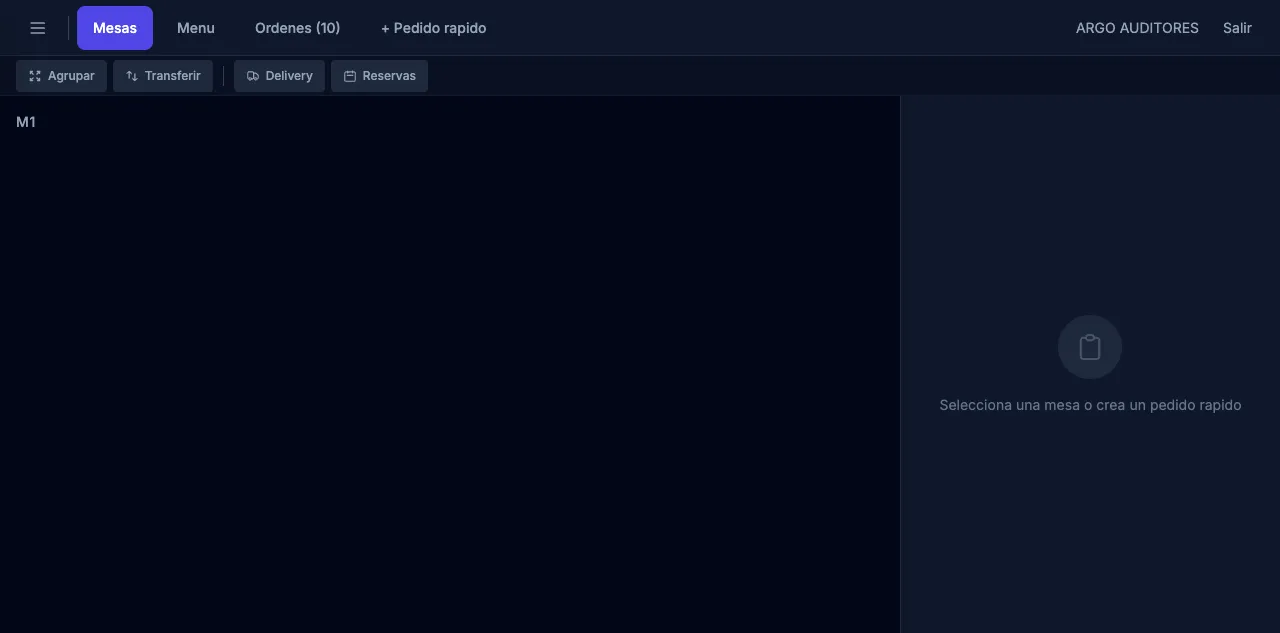
contable.io includes a restaurant mode specific to food businesses: cafés, restaurants, bars, food trucks, dark kitchens. When enabled, the POS switches from the retail interface to one centered on tables, tickets and the kitchen.
Current status: restaurant mode is in gradual rollout. If you don’t see it active in your account, contact support to enable it.
What’s included
| Feature | Description |
|---|---|
| Floor map | Visual layout of your dining room with numbered tables and real-time status. |
| Tickets per table | Each table accumulates orders in an open tab until checkout. |
| KDS (Kitchen Display System) | Screen in the kitchen showing pending tickets to prepare. |
| Combos and modifiers | Define combos (e.g. menu of the day) and modifiers (e.g. “no onion”, “extra cheese”). |
| Reservations | Reservation management with calendar and notifications. |
| Staff shifts | Open/close shift per server, server assigned per table. |
| Delivery | Home delivery orders with address, courier and status. |
| Split bill | Split the bill evenly or per person. |
| Specific reports | Sales per server, top products, average table time. |
Enable restaurant mode
- Go to Settings → POS → Operating mode.
- Pick Restaurant instead of Retail.
- Configure your floor plan under Settings → Tables and zones.
- Define modifiers under Settings → Modifiers.
- Create combos under Inventory → Products → Type: Combo.
- Assign servers with PIN under Settings → POS staff.
- If you use a KDS, configure kitchen stations (e.g. hot kitchen, cold, bar) and which printer/screen each product category goes to.
Typical table flow
- Customer arrives. The server opens the table from the floor map: tap a free table and enter number of guests.
- Take the order. Add products to that table’s cart. For each item, apply modifiers (“no salt”, “medium”).
- Send to kitchen. Tap Send order. The kitchen receives it on the KDS or via thermal kitchen printer.
- Add-on orders. The customer orders more during the meal. The server adds and re-sends. The table keeps an open tab.
- Checkout. When the customer asks for the bill, the server taps Pay. They can split, add tip and charge across one or more methods.
- Free table. After checkout, the table goes back to free and the system records occupancy time.
KDS (kitchen display)
The KDS is a web view you open on a tablet or PC in the kitchen. It shows:
- Pending tickets with table number, server, elapsed time.
- Items to prepare, with modifiers highlighted.
- “Ready” button to mark items or the whole ticket as done.
- Visual alerts when a ticket has been waiting too long.
When the cook marks an item ready, the server gets a notification on their POS to bring it to the table.
Combos
A combo is a product made up of several child products. For example:
Executive Lunch Combo - $25,000
├── 1 × Soup of the day
├── 1 × Main course (choose)
├── 1 × Drink (choose)
└── 1 × Dessert
When you sell the combo, the system deducts stock for each component. The combo price is independent of the sum of its parts (it can carry an implicit discount).
Modifiers
Modifiers are options the customer picks when ordering a product. Types:
- Required: must pick one. Eg. “Cooking point: rare / medium / well done”.
- Optional: no default selection. Eg. “Extras: cheese, egg, bacon”.
- With extra cost: add to the price. Eg. “Extra cheese +$2,000”.
Reservations
From POS → Reservations:
- Create a reservation with date, time, table, number of guests and customer info.
- The system reminds you ahead of time.
- The table is blocked during the reservation slot.
- When the customer arrives, open the reservation → the table goes to “occupied” automatically.
Delivery
The delivery module supports:
- Receiving home delivery orders (manually or via integrations).
- Assigning a courier.
- Marking states:
Received→In preparation→Ready→Out for delivery→Delivered. - Charging at dispatch or on delivery.
- Delivery time reports.
Current limitations
- Delivery integrated with apps (Rappi, Didi Food, Uber Eats) is in development. For now orders are received manually.
- The KDS works in the browser; there’s no native app yet.
- Combos don’t yet support paid optionals inside the combo.