Calculate depreciation
How to run monthly straight-line depreciation of fixed assets and the journal entries generated.
Updated: April 5, 2026
Depreciation is the accounting recognition of wear of a fixed asset over its useful life. contable.io calculates depreciation monthly using straight-line and auto-generates the journal entries.
Straight-line method
Monthly depreciation = (Acquisition cost - Residual value) / Useful life in months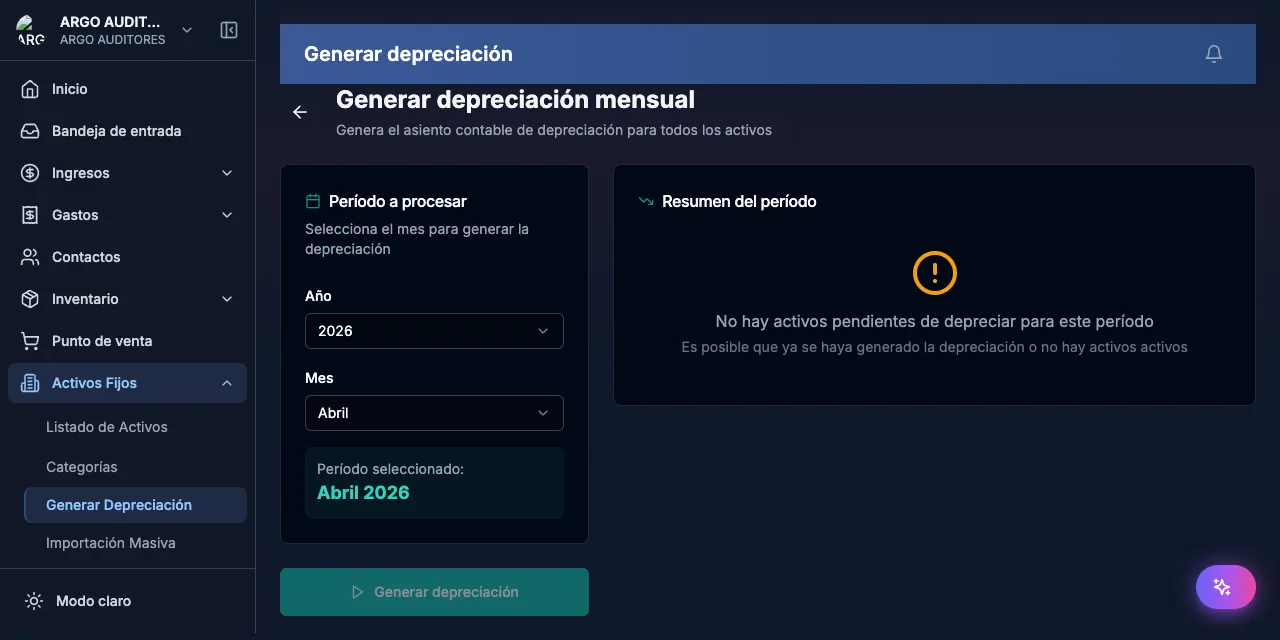
Example
| Item | Value |
|---|---|
| Acquisition cost | $60,000,000 |
| Residual value | $6,000,000 |
| Depreciable value | $54,000,000 |
| Useful life | 60 months |
| Monthly depreciation | $900,000 |
Run monthly depreciation
Go to Fixed assets → Depreciation
Pick the month
Depreciation must run month by month in chronological order.
Review the asset list
Shows all assets with pending depreciation for the period.
Run the calculation
Click Calculate depreciation.
Review summary and confirm
Journal entry
| Account | Debit | Credit |
|---|---|---|
| Depreciation expense (5160xx) | Amount | |
| Accumulated depreciation (1592xx) | Amount |
FAQ
What if I forgot a month?
Run it retroactively. Entries post with the correct period date.
Can I reverse a confirmed depreciation?
No — confirmed entries are immutable. Create a manual adjustment via a voucher.
Behavior of generated entries (2026 clarification)
Depreciation transactions generated by the monthly calculation are now created directly as confirmed, not provisional. This fixes a historical issue where depreciations were invisible in reports because no UI flow existed to confirm them.
Implications:
- Depreciations appear immediately in the Trial Balance, P&L and general ledger.
- The generated voucher shows in Accounting → Vouchers with type
DEPRECIATION. - No additional manual step — running the calculation IS the confirmation.
- To void a depreciation, use the standard transaction void flow.
Orphaned accounts in PUC hierarchy
The depreciation calculation validates that the accounts involved (expense and accumulated depreciation) have the full PUC hierarchy in place (class, group, account, subaccount). If it detects orphaned accounts (without parents), it alerts you before generating the entry.
This prevents a historical bug where depreciation amounts were excluded from the Trial Balance because their accounts couldn’t propagate through the code-prefix rollup. See Trial balance for context.