Introduction to Quotations
What quotations are in contable.io, when to use them and how they convert into sales invoices.
Updated: April 5, 2026
A quotation is a commercial proposal you send to a potential customer before closing a sale. It details products, quantities, prices and terms, but does not affect inventory or accounting until the customer approves it and you convert it into an invoice.
contable.io lets you create, version, send and follow up on quotations professionally, with templates, auto-expiry and a portal where the customer can approve online.
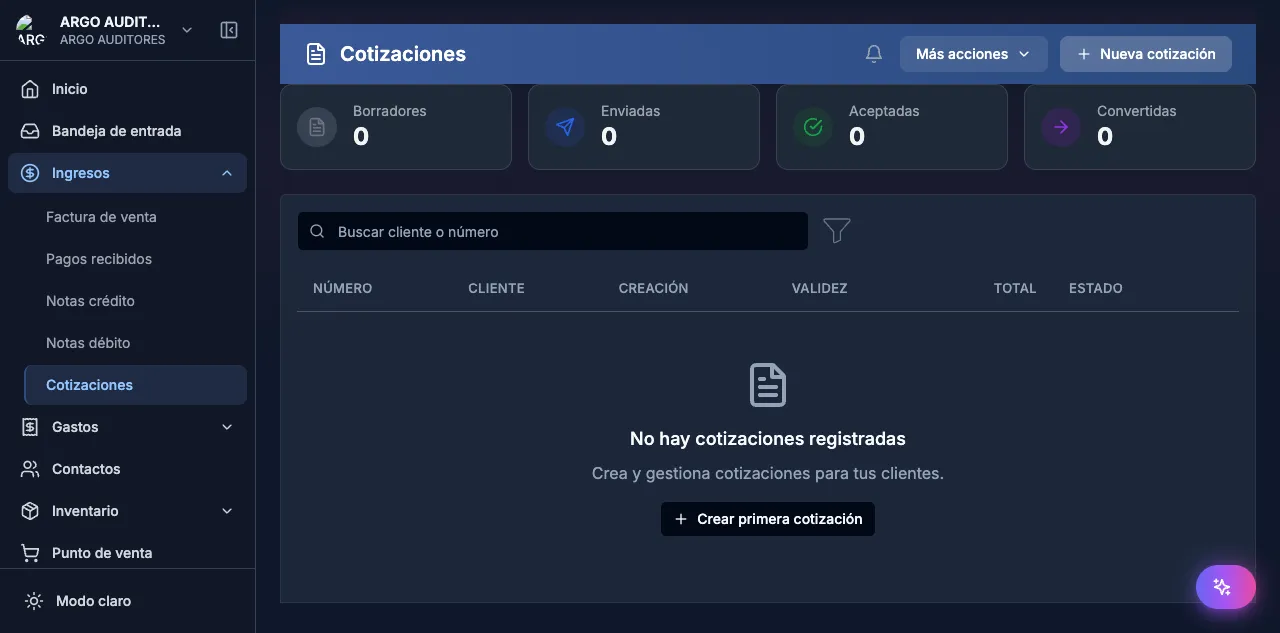
When to use quotations
Use quotations when:
- The customer asks for a quote before buying.
- You need to record proposals in progress without committing stock.
- The commercial process involves negotiation, multiple versions or requires the customer’s internal approval.
- You want to measure your conversion rate (how many quotations become real sales).
If the sale is immediate —the customer already decided to buy—, jump straight to Sales invoices or use the POS.
Quotation states
| State | Meaning |
|---|---|
| Draft | Still editing. Not yet sent to the customer. |
| Sent | Shared with the customer (PDF, email, WhatsApp or portal). |
| Viewed | The customer opened the portal link. |
| Approved | The customer approved (manually or via the portal). |
| Rejected | The customer rejected. |
| Expired | Validity date passed without approval (automatic). |
| Converted | A sales invoice was generated from it. |
Typical flow
- Create a quotation in Sales → Quotations → New.
- Send to the customer via email, WhatsApp or by copying the portal link.
- Track: the system marks when the customer opened it.
- Version if the customer asks for changes (full version history is preserved).
- Approve from the app or from the customer portal.
- Convert to invoice with one click — products, prices and customer flow through.
Notable features
- Reusable templates for product bundles you quote frequently.
- Versioning that preserves all previous proposals.
- Customer portal with unique link, no login required.
- Automatic expiry — the quotation becomes “Expired” on the validity date.
- PDF and WhatsApp delivery integrated.
- Optional internal approval before sending to the customer.