Introduction to Point of Sale (POS)
What contable.io's POS is, when to use it, and how it integrates with your accounting and inventory.
Updated: April 5, 2026
contable.io’s Point of Sale (POS) is a cash register designed to sell fast at the counter without losing the accounting and inventory traceability you already manage in the main system.
Unlike the traditional invoicing module —built for credit sales, with full customer data and administrative workflows— the POS is optimized for speed: capture the sale, charge, hand over the receipt in seconds.
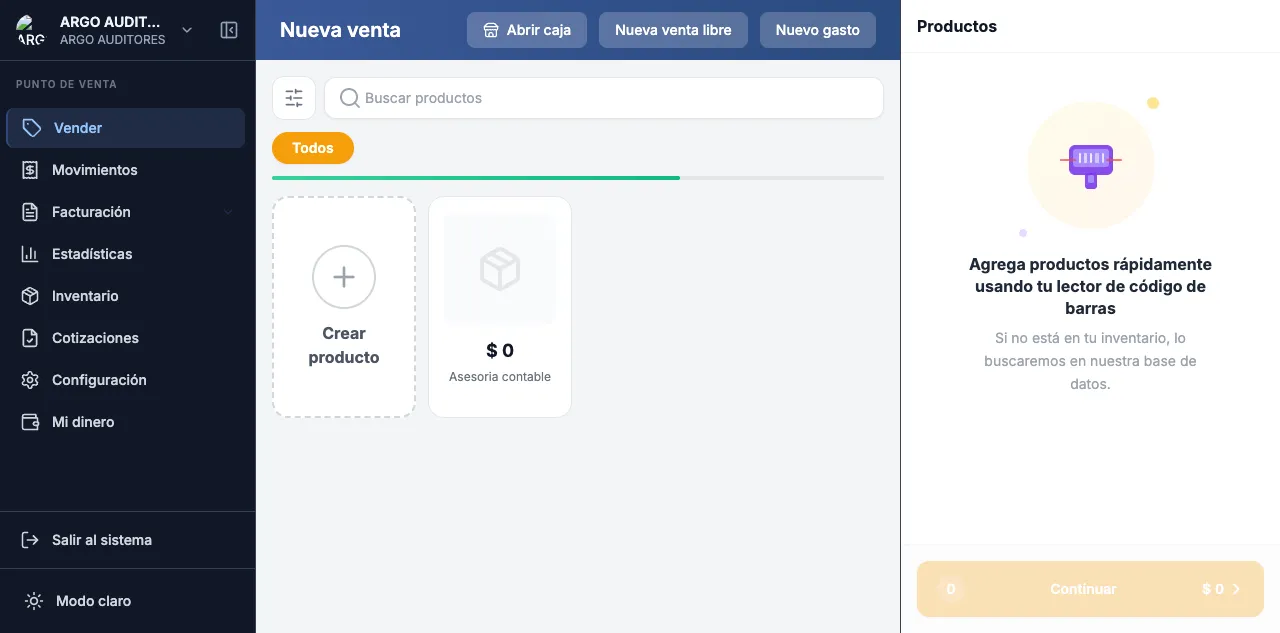
When should you use the POS?
Use the POS if your business:
- Sells directly to end consumers (retail stores, cafes, restaurants).
- Needs to collect cash, card or transfer on the spot.
- Handles high volume of short transactions.
- Uses a cash register with shift open/close.
- Prints thermal receipts or issues DIAN Equivalent Document Type 11.
If instead you issue electronic invoices to companies, with payment terms and customer fiscal data, keep using the Sales Invoices module from the main system.
Access
The POS lives on a dedicated subdomain: pos.contable.io.
Sign in with the same account you use on contable.io. Once inside, the system switches to the cashier interface: visual catalog, fast search, cart and checkout.
Integration with the main system
Everything that happens in the POS is recorded in real time in the same database as the accounting system. There are no manual syncs:
- Inventory: every sale draws stock from the configured POS warehouse.
- Accounting: the journal entry is generated automatically (sales, VAT, COGS, cash/banks).
- Reports: POS sales appear in P&L, balance sheet and revenue reports like any other sale.
- DIAN: equivalent documents are sent and reported per current regulation.
Before you start
For the POS to work properly, you need to have set up, in this order:
- A POS-exclusive warehouse with stock loaded. See POS initial setup.
- Bank or cash accounts to receive payments.
- Products with sale price and, optionally, price lists.
- Staff with PIN if more than one person will operate the register.
- Cash register open (shift opened) before the first sale of the day.