Create and manage customers
How to create, edit and organize your customers in contable.io.
Updated: April 5, 2026
Customers are the people or companies you sell products or services to. You need at least one customer to create a sales invoice.
Create a customer
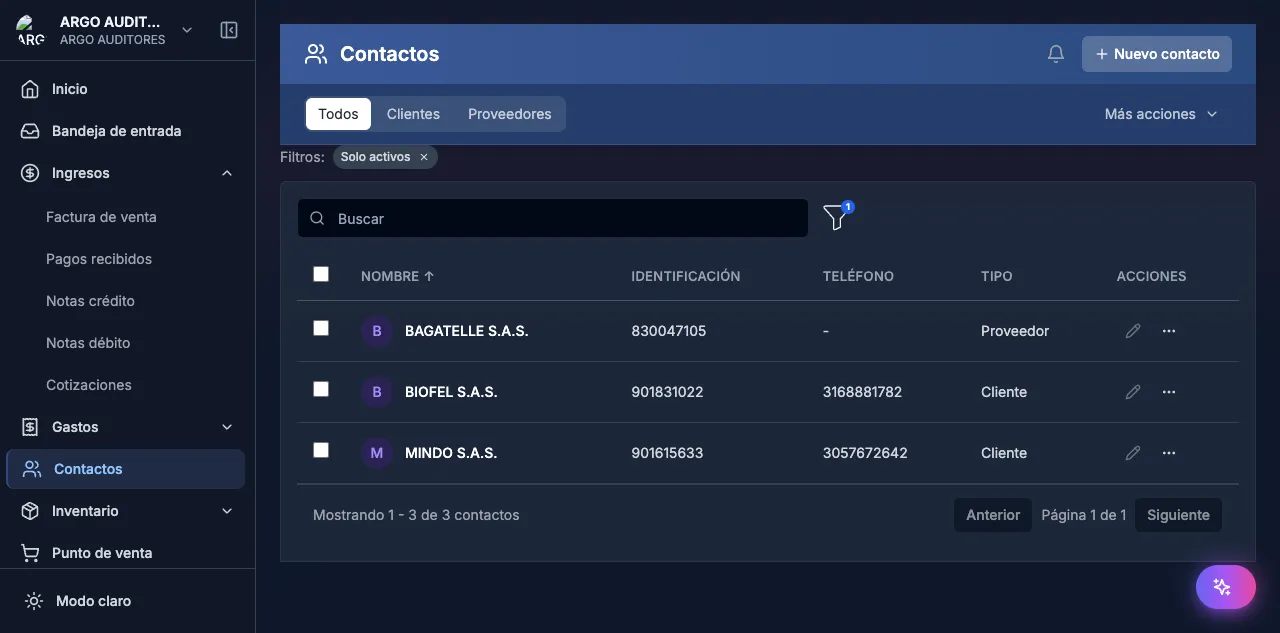
Go to Contacts
Contacts → Customers. Click + New customer.
Basic info
- Person type: Natural or Legal
- Document type: NIT, CC, CE, Passport
- Document number: With check digit for NIT
- Name / Legal name
Contact details
Address, city, phone, email, primary contact.
Tax info
Regime, CIIU activity code, applicable withholdings.
Save
Edit & search
Click any customer to open their record. Search by name, document, or email.
FAQ
Can I delete a customer?
No, if they have invoices. Mark as inactive instead.
Customer vs supplier?
A contact can be both — mark the contact as customer, supplier, or both to avoid duplication.
2026 enhancements
Import RUT from PDF
In the New party modal you can now upload the contact’s RUT PDF. The system auto-fills:
- NIT + check digit
- Legal name
- Fiscal regime
- Tax responsibilities
- CIIU codes
- Address and contact data
Cuts contact creation from minutes to seconds.
GetAcquirer DIAN lookup by document
If you know the contact’s NIT or cédula but don’t have the RUT at hand, use Look up in DIAN. The system queries DIAN’s GetAcquirer endpoint and brings:
- Official registered legal name
- Current fiscal regime
- Person type
- Taxpayer status
- CIIU codes
Creates complete, verified contacts without asking the customer for documentation.